By: Stu Marks | Posted: Tuesday, May 14th, 2013

Featuring…

NEW – Full PayPal Functionality;
Pay your EZWebPlayer subscription with
your email address via your PayPal account
 
NEW – Channel Enhancement;
Broadcast seamless programming – just like television

Plus…
12 MORE Enhancements
to EZWebPlayer!


EZWebPlayer continues to fulfill our mission to provide the best value for web video management. Our UNIQUE and CONSTANTLY EXPANDING FEATURES are the #1 reason for our growth. So, like any smart business, we’re doing MORE of what’s working.

New — PayPal Payment Portal

paypal_logoNow, paying for EZWebPlayer’s Best Value Web Video Service just got even simpler. If you are familiar with PayPal, then you know that you can simply use an email address to pay for anything on the web, adding another secure layer to your vulnerable personal data including credit card numbers and other financial information. Now, you can add your monthly, annual or special services EZWebPlayer payment to the growing list of services and merchandise for which you safely make payment on the Web.

Use your existing PayPal account. If you do not have an account with PayPal, click here to start one now.

PayPal is a leading solution for making safe, secure, fast and simple payments for services and merchandise on the web. And, EZWebPlayer is pleased to be a partner with PayPal for safe and secure payment solutions. We have worked hard to provide our customers with high level secure payment options that include the highest level of security available for Visa, MasterCard, Discover, Amex, and now PayPal.

New — Broadcast Your Videos Back to Back like Television.

NewChannelsDisable.1


We were one of the first Web Video Hosts to bring Channels to affordable, business class web video, and now, we have gone another step further; virtual live programming is now a reality with “Invisible Channels”. With the click of a check box, your channels will now play their content back to back, just like a TV station. Your videos can play one after the other without pause, and even include your inserted advertising and calls-to-action in between.

This new option, the control for which can be found in the VIDEO WINDOW of the SETTINGS page for each video (shown above), is almost ready to be turned on and is currently under final tweaking. So, the new check-box for TURN ON CHANNELS is visible but non-functional until our programming crew gives the go-ahead. This is only a few days away. We’ll notify all via email when the function is live.

We are excited about this new feature for a number of reasons. First, because it is a customer submitted idea that has been in the works for a long time, and for which several of our customers have been waiting. Second, because EZWebPlayer appears, once again, to be First-to-Market with such an innovative application of custom videos in the business world of web video.

Some out of the box use cases for this new feature:

  • Live Web TV Station
  • Playing Part 1 and Part 2 of a longer play video, like a long soccer match, baseball game, worship service, recorded graduation service or law lecture.
  • Playing short sequenced videos one after the other as in a How to Series with Step 1, Step 2, Step 3, etc. This allows each Step video to also easily be a part of a larger archive for later reference or other deployments.
  • Play videos in an order that you control, instead of the end user’s choices. This facilitates simple setup of advertisement reselling to local businesses.
  • Strong sales enhancer. Have your sales videos  them play in the order you wish to lead viewers to a call to action

These are only a few ideas. You can probably think of a great application for your use.

Web Videos that Run Faster — Jump Higher

The rest of the changes to EZWebPlayer in this update have to do with background enhancements:

  • mobile continuity
  • bandwidth sensing
  • interface/browser conformity
  • and more.

We often fix things before they’re broken. From individual accounts that need custom treatment, to broad reaching feature roll-outs that prepare the way for future enhancements. We stay ahead of the curve so that as your business grows, EZWebPlayer is there to scale up for you as needed.

Upload5freeQUESTIONS?
Our technical staff is ready to answer your web video questions live, in real time. So, start a free trial and feel free to open our Live Chat, email or phone our Customer Support staff with any questions you have to help you get started.


Yours for online video success,
The EZWebPlayer Support Team
Support@EZWebPlayer.com
1-877-647-9007


By: Richard Bouchez | Posted: Wednesday, April 24th, 2013

Whether you’re uploading videos to web daily or just considering launching a viral video, a new study could help you shape your campaign…

Speaking of brands and video: success of a branded video on the social web is dependent on the brand’s ability to capture audiences during the early stages of the video’s social lifecycle, according to Unruly Media. This finding is based on the company’s new Social Diffusion Curve, which measures the average number of shares a video generates across the social web throughout its lifetime. Using data from Unruly’s Viral Video Chart, the company found that 25% of shares occur in the first three days after the video’s launch. In fact, the second day is the most important, with 10% of total shares occurring on day two, on average. In addition: 50% of shares happen within the first three weeks, and 66% happen win the first three months. Unruly says there are “strong correlations” between shares generated in the first three days with days one through six and all-time shares. ~Cynopsis.com

What’s this mean for Viral Videos?

If you’re wondering how to make a video go viral, it’s no secret that the “magic” behind viral videos is money; typically, paid YouTube campaigns or other media, to energize sharing and “virality”. This new study could help you plan that media campaign or help you shape an email & social campaign – or, perhaps it can tell you when to stop and move on. If the study is right, any video you’re pushing after the first three months, that isn’t getting traction, is a dud.

Good luck!

Richard

EZWebPlayer Marketing & Social Media

Ready for Affordable Premium Web Video Hosting? Try it Now FREE — Upload 5 Videos Right Now There are three EZWebPlayer levels, with packages starting as low as $14.99 per month. Try it yourself with a NO RISK FREE TRIAL (no credit card required). Load 5 videos to your site right now without cost or obligation.


By: Stu Marks | Posted: Tuesday, April 2nd, 2013

Drive Clicks, Views, Subscriptions…

Whether you’re selling a product or demonstrating a service – using landing pages can dramatically increase your clicks, sometimes anywhere from 20% to 200%!

What is a Landing page?

Simply a webpage that is optimized to get your site visitors to TAKE AN ACTION; and adding VIDEO to your landing pages (thus a video landing page) can stimulate even more action from more visitors.

Why don’t more businesses use VIDEO on their landing pages? Usually, it’s because a Programmer and a Designer need to be involved to add video to landing pages and those folks cost you time & money.

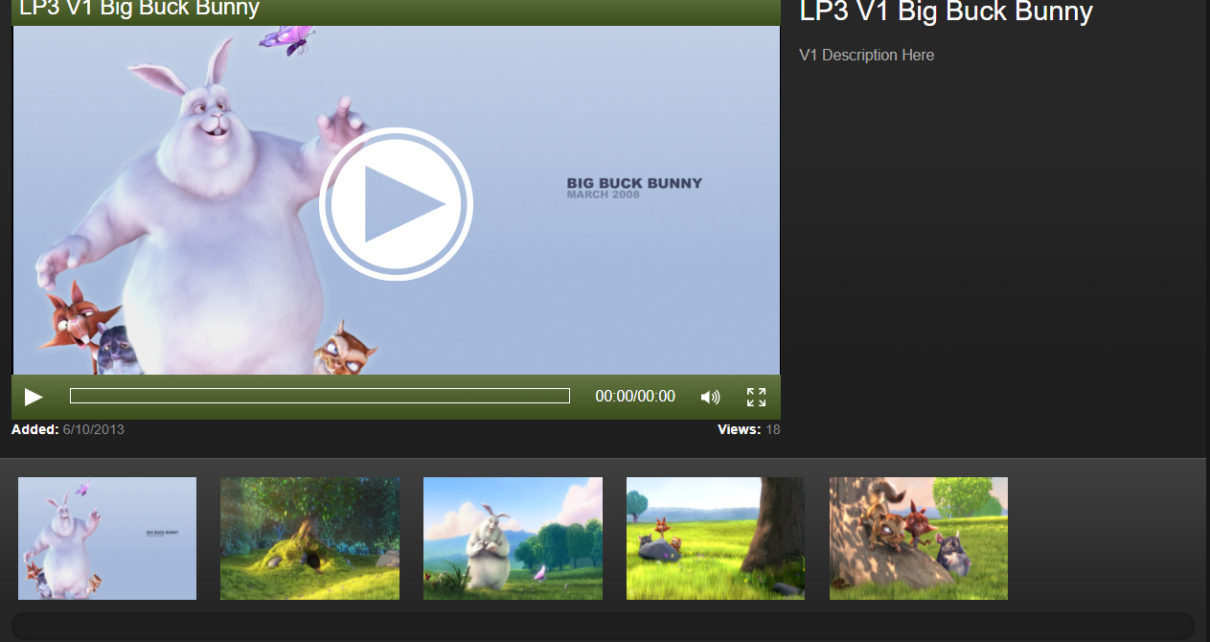
We at EZWebPlayer have developed proprietary technology that makes it fast, easy, and very affordable to quickly create your own custom video to landing pages…no tech skills needed. For Programmers and Designers, it streamlines their job, reducing the time they spend on your project. Or, it turns this type of project into something that you can accomplish yourself.

A landing page invites specific action

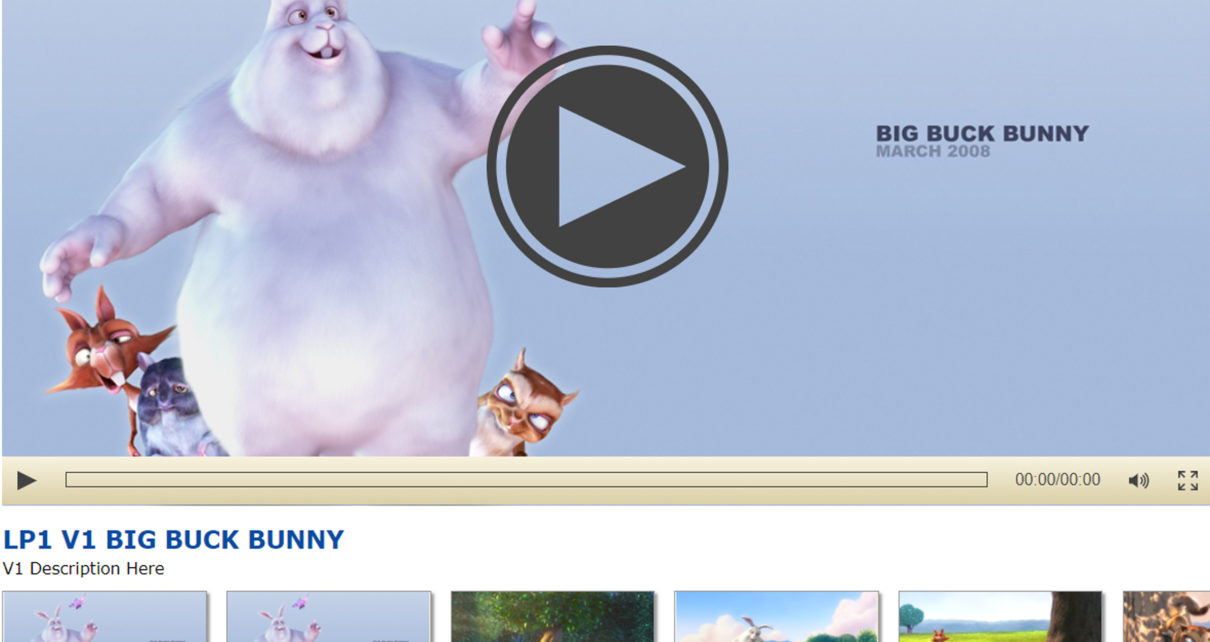
When you visit a website, you go first to its home page EXCEPT when the (more…)


By: Richard Bouchez | Posted: Monday, March 25th, 2013

If you upload videos to web using a premium video platform, you have the choice of using Preroll or Native Video ads. So what is more effective? …which should cost more if you’re selling them? A new Nielsen study may have the answer…
questionmark road sign

   Native video ads are stronger than standard pre-rolls in driving brand lift, according to a new Nielsen study commissioned by online video ad distributor Sharethrough. Native ads, as defined by Sharethrough, are content-based brand videos that are integrated seamlessly into a publisher’s video catalog. This means that consumers have to choose to watch them like any other piece of video content. For the study, Sharethrough served the same creative message in both native and pre-roll formats for five different advertisers’ campaigns. For Jarritos, a naturally flavored soft drink, native ads generated an 82% brand lift when compared to users not exposed to the campaign, while pre-roll units generated a 2.1% brand lift. Those exposed to pre-roll units were 29.3% more likely to respond that they viewed Jarritos unfavorably or very unfavorably, compared with people who were not exposed to the campaign. Nielsen says in the case study, native ads outperformed pre-rolls for all five advertisers, regardless of the campaign’s category or marketing objective.

– In other words: The most fascinating nugget – that users exposed to pre-rolls were more likely to view the brand unfavorably – is the one for brands and agencies to pay most attention to, as they consider different platforms and vehicles. (Though let’s face it, that doesn’t mean that pre-roll is going away any time soon.)

~Cynopsis.com

Ready for Affordable Premium Web Video Hosting? Try it Now FREE — Upload 5 Videos Right Now There are three EZWebPlayer levels, with packages starting as low as $14.99 per month. Try it yourself with a NO RISK FREE TRIAL (no credit card required). Load 5 videos to your site right now without cost or obligation.

Photo image by Colin_K


By: Richard Bouchez | Posted: Thursday, March 14th, 2013

It’s not news that free web video hosting sites fall short on business features (like ad serving), often keeping those features for themselves. …But  there’s more to web video than getting views & running ads.

Here’s list of web video features you may just be missing out on…

  1. Customer Service
    • Need help? Good luck with that. On most free sites you’re pretty much on your own.
  2. Landing Pages
    • Great landing pages are essential to web marketing and can make a big difference in Adwords campaigns. Whether you’re demonstrating a service or showing of a product, video makes a tremendous difference in connecting with customers. Some premium web players, like EZWebPlayer, simultaneously create optimized video landing pages for you when you upload your video.
  3. Lead Generation
    • There are many ways to generate leads, but how do you collect them? While you can get folks to subscribe, YouTube doesn’t allow direct links to external forms where data can be collected from prospective customers.
  4. Branded Video
    • Many folks simply don’t mind the YouTube or Vimeo logos stamped on all of their videos. Do you? Most premium web hosts let you “bug” (add your logo) to all of your videos and some premium hosts offer domain level branding for video. This lets you own the full user experience.
  5. Luxury branding
    • From the time they log in to the time they hit play viewers are bombarded with ads, ads, ads and more ads. Not only is is distracting, but those should be ads for your products or your ads to sell!
  6. Copyright
    • We’re certainly not suggesting you upload copyrighted video, don’t do that, but it’s worth pointing out that YouTube has stringent copyright rules and pulls videos prematurely. If you can’t afford to have your video offline until YouTube corrects its mistakes, you may consider a video host with superb customer service.
  7. Preroll & Postroll
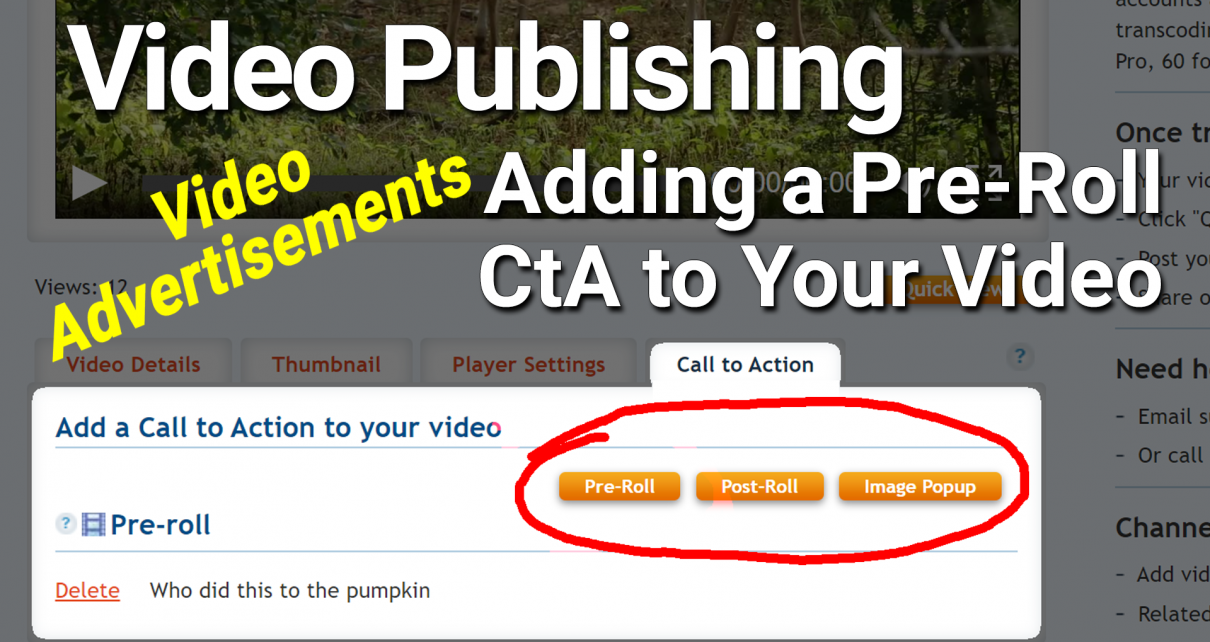
    • Clearly most free web video sites use pre & postroll to  make money, but if you have exclusive content you may want to add preroll to web video to promote your own products and services, or you may even consider selling this ad space yourself!
  8. Call to Action (clickable links to external sites)
    • While you can add annotations to your video on YouTube, sending viewers to webpages or other links external to YouTube is not allowed. Being able to add Calls to Action means you can add clickable text or images to web video so you can show, sell or tell!
  9. Privacy
    • There are actually 2 reasons you might want to avoid putting personal videos on YouTube. First, they will be completely open to the public without the correct account setting and, second, you may not want your video to be found. Do you really want strangers watching your vacation footage or client proof? Probably not.
  10. Downloadable
    • If you want your videos downloaded without your permission, YouTube is a good place to host them. You’re not supposed to download YouTube videos but, whether they’re “legal” or not, there are hundreds of applications that make it easy to download YouTube videos. While you may not be able to thwart illegal downloading, it’ll certainly be harder for the “downloader” to hijack your videos if they’re hosted on a premium web video host.
  11. Site SEO
    • Many companies upload videos to YouTube “for the SEO” but they’re getting YouTube SEO for being found on YouTube. The SEO opportunity they’re missing is Webpage SEO for their site and you get that by uploading a Video Site Map. If you upload a Video Site Map you’ll boost your website SEO for Google Search.
  12. Trolls
    • Evil commenters are probably the worst part of YouTube. You may not be able to squash them entirely (after all the web is public), but moving off YouTube will help without forcing you turn off commenting.
  13. “Not Authorized for Mobile”
    1. Mobile is gaining popularity at a fast and furious  rate. This error is mind boggling – we can’t image why all video players aren’t automatically trans-coded all videos  for mobile!
  14. Limited Player Settings
    • Did you know you can turn your videos into sidebar ads? Well, not with YouTube, but having fully customizable video player settings  give you the freedom to choose any size or ratio for your video.
  15. Vertical Video
    • Sure you upload a tall, narrow video to any web host – but here’s the thing: you’ll get big, ugly, black bars on either side. So here’s a killer feature I love: When you upload your video to EZWebPlayer, it automatically adjusts the ratio to the correct size and shape. That means no more black bars. That’s a feature I’ve only seen on EZWebplayer.

No doubt about it, free sites are a necessary evil for many and a huge missed opportunity for business. Sure, if you’re trying to create the next viral Gangnam Style hit you’ll need a YouTube strategy, but we hope your video strategy is a little more practical than that!

Ready for Affordable Premium Web Video Hosting? Try it Now FREE — Upload 5 Videos Right Now There are three EZWebPlayer levels, with packages starting as low as $14.99 per month. Try it yourself with a NO RISK FREE TRIAL (no credit card required). Load 5 videos to your site right now without cost or obligation.


By: Richard Bouchez | Posted: Tuesday, February 26th, 2013

CONTROL YOUR VIDEO HOSTING & SHARING COSTS
WITH EZWEBPLAYER’S “SOFT LIMIT” FEATURE

A recent subscriber to EZWebPlayer said, “Your soft limits are ideal for those trying to grow with video. I pay for only what I need, and upgrade my plan only when I need to.”

Soft Video Bandwidth Limits let you reduce & control your costs

We keep our 3 plans’ prices low by limiting how much
bandwidth each plan can access, measured by number of daily
views. You can’t control how many daily views you receive so
these are “soft limits.”

Should you exceed your plan’s limit, we’ll email you a
friendly “limit exceeded” email. After 3 such emails in a month,
we’ll ask you to move up to a plan that fits your actual usage.

Upgrading is easy and avoids any interruption in your hosting
and sharing service. It’s seamless: all your settings are saved.

Subscription Plans: Lite Pro White Label
Max Daily Video Views (all videos) 500 views 2,000 views 5,000 views

You can easily change plans to match your average daily views. Views climbing? You’ll reach a point where upgrading plans makes sense; either to gain access to the powerful features, or the more professional plan makes more sense regarding the higher volumes that your successful web presence is demanding. But even if you have low daily views, you may want a White Label plan to take advantage of its advanced enterprise features like Custom Domain Branding and Video Landing Pages.


TRY IT FREE! Remember that the free, no obligation trial is truly a free trial. There is no credit card needed. So, start your free trial and begin uploading right now, on us.

Thanks for visiting our blog.
The EZWebPlayer Support Team
Support@EZWebPlayer.com
TOLL FREE 1-877-647-9007


By: Clint Pollock | Posted: Tuesday, February 19th, 2013

Introducing the EZWebPlayer White Label Package

Available only from EZWebPlayer, White Label Video gives you business features and capabilities at an affordable price. Full control, simple operation, real customer service, low price — that’s EZWebPlayer value.

QUICK FACTS about White Label:

• Perfect for Medium/Large Businesses
• Scalable
• Custom Domain Branded Player
• Custom Domain Branded Video Sitemap
• Custom Branded Video Landing Page
• Automatic Transcoding for HD and mobile
• Live Streaming
• UNLIMITED videos
• UNLIMITED bandwidth
• UNLIMITED Amazon S3 storage

See all features

Serious about video? With White Label you fully control the user experience.

- Scroll down to watch the video -

(more…)


By: Stu Marks | Posted: Tuesday, January 29th, 2013

Upload Videos to web site

If one of your daily or weekly jobs is , then you need to read this.

We’ve all done it;
the final fix to the video is finished so we upload video to the web and  jump on to the next thing, then we notice a typo or a bad graphic or an audio glitch and have to fix and re render. If all of the special settings for this video are in place, we really don’t want to start all over again. Another concern, especially with a YouTube, is that your likes, views and SEO can be negatively impacted by publishing a new video and then deleting a current one. Simply replacing the video file within its record would be ideal.

The answer is File-Only Updating; a tool that will allow you to keep the settings and web pathway URL, but swap out the video within that player. Within the EZWebPlayer control panel is a little known function called simply Replace Video File.

Upload Video to your web site

Swap out the video file only, allows for all of the Player’s settings and URL to remain the same. So, the only function required to post your updated video is to upload the video to the server. Leave the tags, title and other settings in place. And, if your video is a short one, like most of these are, the time involved could be a total of 5 minutes because this is a fire and forget function. Upload and click UPDATE in the control panel and go refill your coffee cup.

Also (yes, there’s more), any SEO results for this constantly updated video post become accumulative instead of losing each day’s or each week’s SEO results by having to reset by starting a new video record.

Cool; right? Yeah, I thought so too.

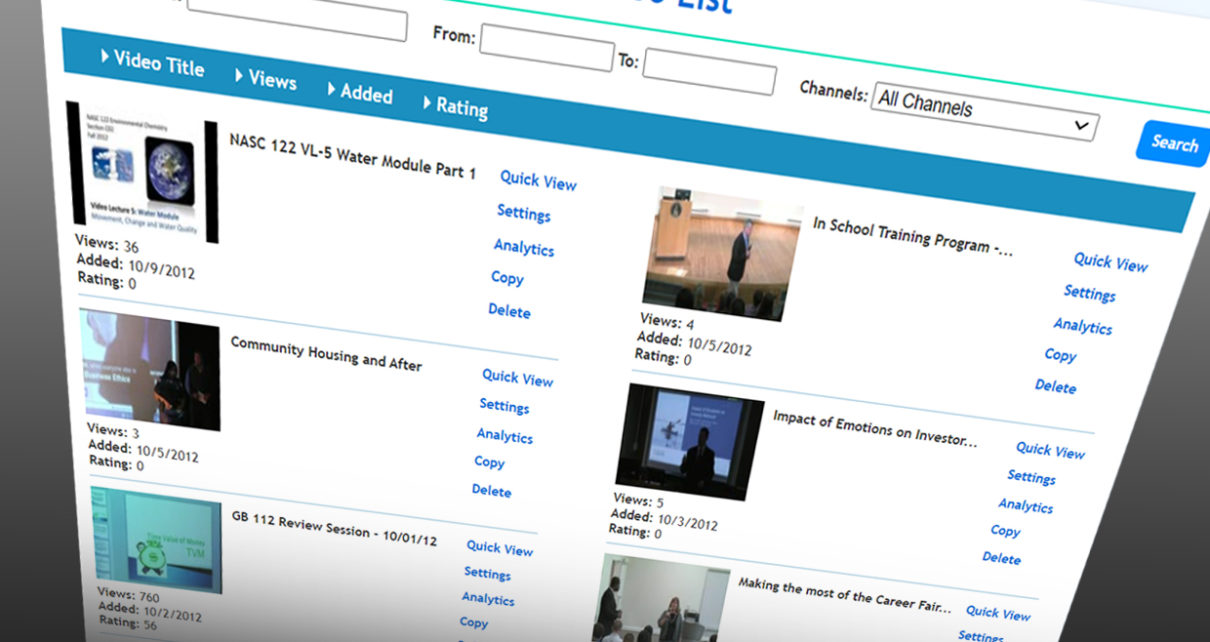
Another function that complements this type of work flow while making it both elegant AND smarter is the Copy record function. Archiving of each video is made simple as well; simply copy the old video record with one click. Need five copies of one video record before making changes to them for individualized treatment; click the copy button four times. This does nothing to storage totals on the web because you are not really copying any videos, just the holders by which the videos are managed and accessed. Each copy has its own URL for posting in blogs, newsletters and web sites. This is powerful function for publishing the same video to different market segments. Just like the Farm Magazines have different publications of the same issue to different regions like the Midwest, the Southern states, the West Coast, etc., videos can be sent to different mailing lists or other marketing vehicles. Have a separate video and/or advertising link to specific areas or lists.

Try it out for free at EZWebPlayer.com; http://www.ezwebplayer.com/register.aspx, and also notice that your videos play on mobile too. Oh yeah, video on mobile devices!

Checkout our growing list of demo videos.

For more How To tips on Video On Your Web Site, under real business conditions, check these links;


By: Clint Pollock | Posted: Wednesday, January 23rd, 2013

Fact: YouTube probably should be part of your video marketing efforts. After all, it’s the second-largest search engine in the world and you want to be found! But it should not be the ONLY way you distribute your videos.

Why host videos on YouTube? It has global reach; everybody uses it; having your videos on YouTube will boost your SEO rankings and, of course, YouTube hosting is free. So why host off YouTube too? Because YouTube is all about YouTube, not about your business. In effect, YouTube OWNS your hosted videos. YouTube does what it wants with them. They’re branded with the YouTube logo. They’re accompanied by other companies’ advertising. And they’re taken down by YouTube at their discretion.

YouTube is really an entertainment venue (think kitten videos), not a business venue. And the YouTube player has limited functionality. You can view and share, but you can’t attach pre-roll ads and post-roll ads, match a player’s skin to your web site’s design, or create your own string of “Next-Up” videos in a playlist of your own. So DO use YouTube…but don’t use ONLY YouTube.

High-end video players are a full time job.

There are several high-end video players out there, created and developed for large corporations with deep resources – hundreds and hundreds of videos and budgets to match. And an IT department to manage it all. Unless IT is your full time job, you probably have too much going on to manage an expensive video player.

EZWebPlayer fills the gap for SMALL/MEDIUM BUSINESSES
YouTube is free but has extremely limited functionality; high-end players are extremely expensive and have been designed for mega-corporations. We’ve created EZWebPlayer as the perfect video player for small and mid-sized businesses and organizations: affordable, right-featured, and easy to use. And EZWebPlayer is dedicated to providing you premier hosting and sharing service. We partner with Amazon, the global infrastructure company . With hubs around the globe, your videos play lightning fast anywhere that can access the Internet.

If you can click a mouse, YOU CAN MANAGE YOUR ONLINE VIDEO LIBRARY with EZWebPlayer
You DON’T have to be a tech person to easily manage your entire video collection with EZWebPlayer. Everything about our system is as simple as “point and click” and our full time, USA tech support people will walk-and-talk you through everything. Take a tour of all our EZWebPlayer features, watch a demo video or get started right now!

Try it Now — Upload 5 Videos FREE There are three EZWebPlayer levels, with packages starting as low as $14.99 per month. Try it yourself with a NO RISK FREE TRIAL (no credit card required). Load 5 videos to your site right now without cost or obligation.


By: Stu Marks | Posted: Tuesday, December 18th, 2012


INTRODUCING Our premier White Label plan! True enterprise features for maximum control, customization, and flexibility.

Available only from EZWebPlayer, White Label gives you maximum features and capabilities at a far lower price than other video players. Full features, simple operation, real customer service, low price — that’s EZWebPlayer value.

QUICK FACTS about White Label:

• Best EZWebPlayer Plan

• Most Services, Features

• Medium/Large Businesses

• Scalable

• Custom Domain Branded Player
(more…)


By: Stu Marks | Posted: Wednesday, July 18th, 2012

Simpler is better & concise always wins when adding video to web. So, we thought we’d highlight a great example video from one of our clients.

Blue Angel over ocean breaking the sound barrier

Notice while watching this video by Glen Pew the way the script;

  •      Tells the audience what they are about to see,
  •      Shows them the content,
  •      Saves the best for last.

Also, during the video, Mr. Pew uses extremely precise terminology in describing what the viewer is watching. The accurate use of the language is the most important part of this video. It doesn’t only do a great job underscoring the visuals on screen, but it also leads the viewer to a better understanding of the subject matter; treating the viewers like intelligent humans by using advanced yet accurate and easy to understand phrases and words.

Check out brand free video management here.


Stu Marks
Business Video Specialist
EZWebPlayer.com

This video plays from You Tube via EZWebPlayer. EZWebPlayer never brands a video.

SOURCES;
Video by Glenn Pew (http://www.glennpew.com/) for AVweb.com.
Additional research by L.H. Delano.


By: Richard Bouchez | Posted: Thursday, June 14th, 2012

Whether we’re talking about your blog, video blog or even podcast, the first key to marketing on the web is consistency and the second is sharing to your social networks. So, once you get beyond your Facebook page, Twitter & Blog what can you do? Start posting to some or all of these 5 sites and keep track of your views and conversions. Give it at least 3 to 6 months – keep doing what works and switch up what doesn’t!


  1. Pinterest – one of the hottest marketing sites out there right now, folks are claiming crazy click through rates!
    • Tip: Don’t post the video, create a dramatic eye popping thumbnail image and link to a high quality file embedded on your site!
  2. Stumbleupon – from personal experience I can tell you posting to Stumbleupon is hit or miss. On the plus side, if the page your video is on is super catchy you can rack up hundreds, thousands or even millions of views at an unbelievable rate!
    • Tip: Don’t just post your videos, Stumbleupon requires more effort than that. Also post other links on the site & try to build community there!
  3. Digg.com – despite what you may or may not have heard, Digg is not dead! This site is home to a passionate community that loves a great story and “super clever” stuff.
    • Tip: Titles that WOW do better. Don’t skimp on your description either – the more creative, the better!
  4. Slideshare – Depending on your video, this site is the least “easy” to do simply because you’ll need to create another version of your video.
    • Tip: Connect your Slideshare account to your LinkedIn account for maximum sharing!
  5. YouTube – ok, so we’re a video player & hosting solution… why would we tell you to post your video on other video sites? Because although there is a long list of reasons CloudFront based video player & hosting is for business, this is the largest search arena for videos.
    • Tip: Use the Annotations feature to direct viewers to the High Quality Streaming version of your video that’s embedded on your site or blog.
    • Bonus Tip: You can use EZWebPlayer to embed YouTube videos on your site!

Let us know where you post your videos to increase in the comments!
Good luck! …oh, and remember to be consistent!

Richard Bouchez
@richardbouchez
Social Media Specialist for EZWebPlayer.com

For How To tips on Video On Your Web Site, under real business conditions, check these links;


By: Stu Marks | Posted: Tuesday, June 5th, 2012

Creating web videos? A lot of folks seem to think “if you build it, they will come” but that’s far from true – in fact, making the thing is just the beginning. Now you need to promote it (or them) and here are 5 tips to get you started…

  1. Post your videos to your blog and (this is the important part) include a bullet pointed outline in text for folks watching your videos – this will help your search rankings on Google and give folks who can’t watch your video reasons to save your video for later!
  2. No blog? Email your vendors, for example, and ask them to use your video as a “guest post” on their blog or share it in their company email!
  3. Create a slideshow version of your video – include a link to the video in the slideshow.
  4. Submit your videos to YouTube, Vimeo and other social and bookmarking sites – using relevant keywords in your title, description and tags is extremely important!
  5. Come up with a marketing plan for your video – You may not feel like you have time for brainstorming and planning, but mapping out even a loose video strategy around each video will save you a lot of time & headache down the road. In fact, this is so important it’s the one area where I even recommend hiring a marketer to help if you really can’t make the time. Here are a few bonus tips for video planning:
  • Focus your efforts on 1 target audience.
  • Look for tie-in opportunities, such as holidays, product launches, local/national news or events, etc.
  • Embed your video in an email & send it out to your list – make sure you clearly ask for “likes,” ratings and shares!

Hope that helps!

Richard Bouchez
@richardbouchez
Social Media Specialist for EZWebPlayer.com


For How To tips on Video On Your Web Site, under real business conditions, check these links;


By: Stu Marks | Posted: Thursday, May 24th, 2012

If you’re adding video to your business website, you’ll want to do two things immediately. First, host your marketing videos on YouTube. Sure, your business videos will be hosted among millions of amateur videos, but YouTube is the second only to Google in search engine power. And there’s no cost to you.

The second must-do?
(more…)


By: Stu Marks | Posted: Monday, May 14th, 2012

— right sized, right featured for serious business use

EZWebPlayer announces WHITE LABEL — its new premium-featured online video player — a business-level video hosting platform that’s right-featured and right-priced for mid-sized and larger businesses, institutions, and organizations.

Online video players come in two flavors: free and OMG expensive. Free players like YouTube are great for cute kitten videos and marketing videos but not for normal business use. Professional level online video players often cost a company hundreds a month with way more features that you need and a lot more complexity.

(more…)